Some time ago, I can’t tell exactly when, I discovered Notepad++ (NPP). NPP is a great light weight text editor with tons of cool features.
I’m also a big fun of log4Net since I discovered when I added the logging features to Genexus and GXserver. It is so easy to implement and helpful that I have used it in every project I worked ever since.
So in my daily basis I get to work with log4net log files a lot. I was doing so last Saturday when it hit me, “I need syntax coloring for this”.
So I looked up and found a great post from Jon Galloway that explains how you can create your own “User Defined Language” in NPP. To my surprise it was pretty simple since NPP has a dialog to do so, I thought I’d have to some xml editing. The dialog does that for you and what’s even better you can see the results of what you’re changing while you’re doing it.

The result is (to me) pretty cool. It’s now a lot easier to find the ERROR or WARN lines.
I also added a couple of features that basically are a better way to focus on what’s important.
Numbers are in yellow, single quoted strings are in red, each keyword (INFO, DEBUG, ERROR, WARN, FATAL) has its own color, plus I also added “comments”. By using the good old // to comment a line or /* to comment a block */, you can help you and others to pay attention to what really matters, or at least what you think matters.
So, how do you get this?
Simple way: If you have never defined of modified a User defined Language, you can simply download the posted file and override your existent in %APPDATA%\Notepad++ (Make sure you backup your file first)
“Harder” way: if you have modified of added a user defined language, you probably know what to do but anyways, download the file (same from above) open it in your favorite text editor ;) and copy the UserLang tag with its content and copy it to your current userDefineLang.xml file.
**We moved to GitHub! Download the file from: https://github.com/sebagomez/log4net-for-notepadpp
As usual, this is 100% “works on my machine” certified.![works-on-my-machine]](https://blogger.googleusercontent.com/img/b/R29vZ2xl/AVvXsEgD3yoVx2uLwRS0V9VWRB85JuGYXqrYAUH53gmrCySGt7bXnw3mvP_uYYufVjCcG4VdNJ4XgXZDqCWJTe8MhYY7rsBx0mEZg8ld25t2PQoSpEUbA_Ogzza5vJpwyjDDci3ISq8IcA/?imgmax=800 "works-on-my-machine]")
Read Full Post
Summary only...
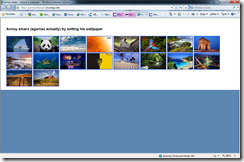 Last week Run 2.0 took place in Montevideo and I had the privilege of working with Guadalupe Casuso (from Microsoft) and Luis Pandolfi (from Infocorp) on part of the Keynote, we talked about Windows Azure and if you ask me it was too short.
After the keynote I talked to some people who told me the session was great, but most of them already knew about Azure, so I guess I never know how good/clear was for someone new to the Windows Azure Platform (if you’re in this category please send me a line). One thing Guadalupe told us, and I guess she was right, is that there’s no point of showing something you can’t use yet… it’s like showing a kid a candy. I don’t know, but one thing I do know is that we could have use the entire conference to talk about Azure :)
On my part of the session I had to show something on ServiceBus so I showed Steve Marx’s AnnoySmarx sample. I changed a few thing from the listener, one thread would never end unless you close the cmd window, and added a few messages for demoing purposes. The sample is pretty cool cause it let you change the wallpaper of my computer by clicking the images from an online web page (in this case hosted on Windows Azure). For my sample I deployed the web app at http://gomezwallpaper.cloudapp.net/ and people from the audience would get online and click on the images while on the main screen you could see the wallpaper of my notebook changing. I was pretty cool and showed how you can get servicebus up & running with a little extra work from what you do to host regular WCF services.
Another tool I used is Windows Azure Storage Explorer which I built myself to browse and manage items from a Storage Account. I recently uploaded the source code to codeplex, the project is here.
Read Full Post
Summary only...
I’ve been playing a bit the the RC version of the .net framework 4 and already found a new cool method.
Until now when I wanted to check for a valid string I had to use the following code:
if (string.IsNullOrEmpty(text) || string.IsNullOrEmpty(text.Trim()))
throw newArgumentNullException("text", "text is not valid");
And I had to do that because a string containing nothing but white spaces was not valid and if you called the Trim() method on a null string you’ll get a NullReferenceException, you know the message… (“Object reference not set to an instance of an object.”)
So, the new cool method I found is a static method from string called IsNullOrWhiteSpace. the name pretty much says it all, except that the real name should be IsNullOrEmptyOrWhiteSpaces ;)
Instead of writing the code shown above, where you could easily forget the second condition, now you can have the same behavior in one single sentence:
if (string.IsNullOrWhiteSpace(text))
throw newArgumentNullException("text", "text is not valid");
Read Full Post
Summary only...
A few days ago I posted about my first useful Azure application, which is hosted on here http://storageexplorer.cloudapp.net http://azurestorage.azurewebsites.net. Today I just wanted to announce I just uploaded the code to a Google Code project called windowsazurewebstorageexplorer :)
It is a good (I think is good) example of both programming for the Windows Azure platform and programming against the Windows Azure Storage client API.
So feel free to download it and let me know what you think. (Make sure you download the Windows Azure tools for Visual Studio 2008 first)
As usual, this code is certified to apply every “works on my machine” standard :)

Note: Too bad the December 2009 Windows Azure-Related Developer Challenges are for US only :(
Read Full Post
Summary only...
I recently read on stackoverflow a ton of great programmers quotes I thought it’d be good to share.
Here are some of my favorites.
“Walking on water and developing software from a specification are easy if both are frozen.”
“Always code as if the guy who ends up maintaining your code will be a violent psychopath who knows where you live.”
“Linux is only free if your time has no value”
“Debuggers don't remove bugs. They only show them in slow motion.”
Read the full list here.
Read Full Post
Summary only...


![works-on-my-machine]](https://blogger.googleusercontent.com/img/b/R29vZ2xl/AVvXsEg6we5gvoTAGJnBDI6x1wngsRSFb_LcktGlQ1CnoWj3EQdzUTr5rgmZbrlKyhE9GiQ-HAIa2raURVnLnB3Zm7_D48819ZCxzkIq4j-cwxcH67uvOWidh_4dSeNz0VaJG4z0faeNbQ/s1600-h/works-on-my-machine%25255D%25255B2%25255D.png "works-on-my-machine]")


 Posts
Posts


